


Monitoring & notifications
Your network, as it is right now.
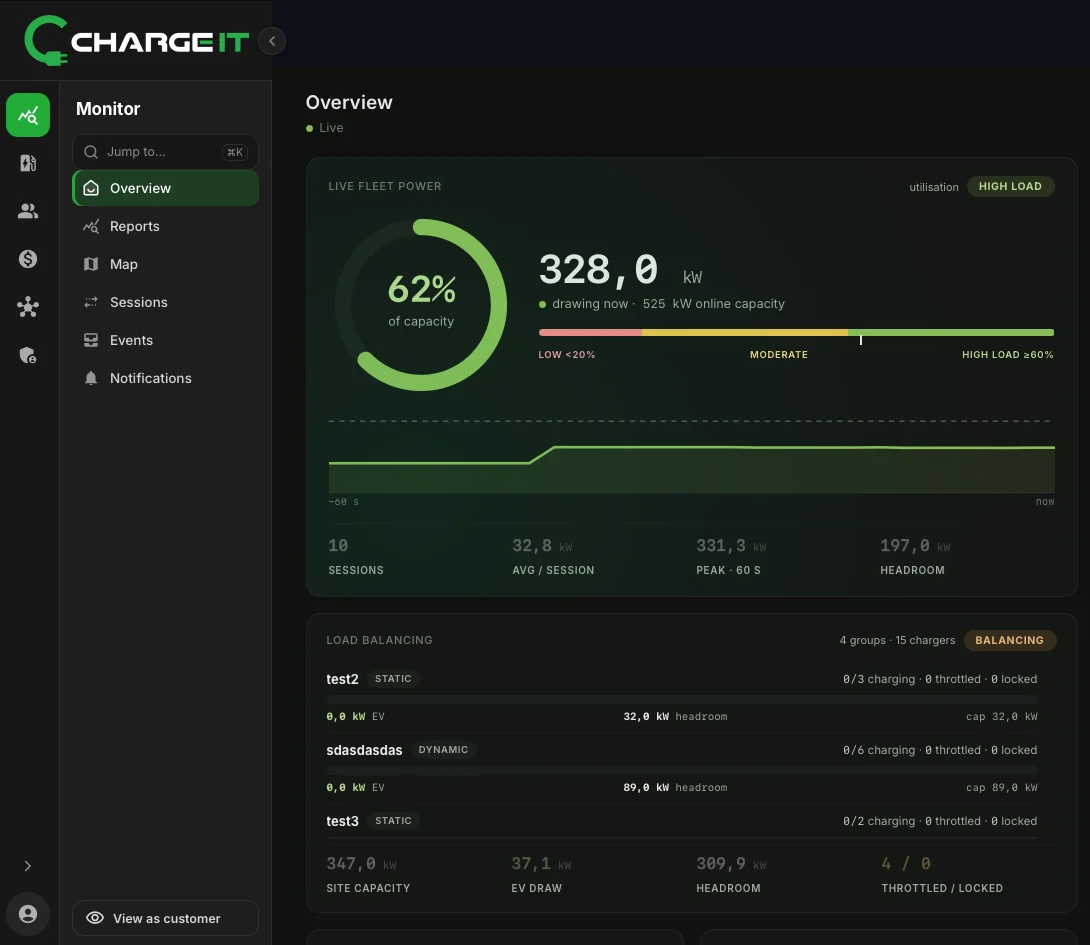
Live fleet power against online capacity, the state of every station, a live map and every event from every charger. When something needs attention, the console tells you.
- →StatusNotificationCP-031 · connector 1 · Chargingok
- →MeterValuesCP-031 · 7.4 kWok
- →StatusNotificationCP-008 · connector 2 · Faultedalert
- ←ChangeAvailabilityCP-008 · InoperativeAccepted
- →HeartbeatCP-022ok
- →TransactionEventCP-014 · Ended · 18.6 kWhok
- →StatusNotificationCP-014 · connector 1 · Availableok
The console
Five views, one live picture.
Each view works on the same live data, filtered to the part of the customer tree you are allowed to see.
Overview
Fleet power against online capacity with utilisation bands, peaks and headroom, plus live load-balancing groups.
Map
Charging points on a live map, coloured by state, so you see sites rather than single boxes.
Sessions
Every session in progress and finished, with energy, duration, connector and the way it was started.
Events
The full stream of charger messages and the commands sent back, searchable per charger.
Notifications
What needs your attention across the network, collected in one list.
Station health
Uptime, efficiency and peak hours per charger, from the same data the reports use.
Station status
Every state, straight from the charger.
ChargeIT shows the OCPP state the charger reports, not a guess. The overview groups stations by state, so a faulted or offline charger stands out at once.
- Available, charging, faulted, offlineCounted per state in the overview, with the list one click away.
- Sites, not boxesChargers grouped into charging points with a location, so the map shows each site.
- Peak-hours heat mapWhen your chargers are busiest, hour by hour and day by day.
Works with
Monitoring feeds everything else.
Act on what you see
Remote start, stop, unlock and availability from the same console.
Charge point management ReportsTurn it into a statement
Energy, stations and reliability for any period, ready to sign.
Reports & analytics PermissionsEveryone sees their part
Customers and site owners see only their own branch.
Multi-tenant & permissionsQuestions
Monitoring, answered.
Is the data really live?
Yes. Status, sessions and power update as the chargers report them over OCPP.
Can my customers see their own stations?
Yes. Each organisation sees its own branch of the customer tree, with the same views, and nothing else.
How do I know a charger has stopped reporting?
It shows as offline in the overview and in the station list, so you see it without checking each charger.
See your network live.
We’ll show you the console on a setup like yours.
Book a demo